看看這篇文章
http://www.doom9.org/mpg/ifoedit-dvdauthor.htm
後半部有字幕顏色的說明
先從原本母片的IFO檔取顏色...貼在自己新製的IFO檔上...SAVE
P.S要用最新版的IFOEDIT才有支援字幕顏色剪貼喔
以下為原來的內容擷取
Once IfoEdit has finished the process you'll have a set of VTS_01_X.VOB files, a VTS_01_0.IFO/BUP and a VIDEO_TS.IFO/BUP file. Both IFO files will be shown in the upper part of the IfoEdit window. Now open your old IFO file (the one DVD Decrypter ripped) and go VTS_PGCITI and select PGC1 again:
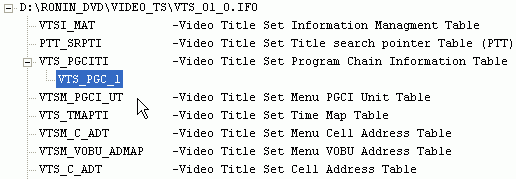
Then select Copy Colors from this PGC from the Subtitle Color menu (that's the rightmost menu).
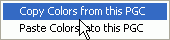
Then select the new VTS_01_0.IFO file that IfoEdit generated for you and select Paste Colors into this PGC from the Subtitle color menu.
And last but not least press the Save button to save the imported color codes. When asked if you want to overwrite the existing IFO/BUP files answer yes.