
|
PCDVD數位科技討論區
(https://www.pcdvd.com.tw/index.php)
- 顯示卡討論區
(https://www.pcdvd.com.tw/forumdisplay.php?f=8)
- - NVIDIA GeForce Game Ready Driver 591.59 WHQL
(https://www.pcdvd.com.tw/showthread.php?t=1216864)
|
|---|
NVIDIA GeForce Game Ready Driver 591.59 WHQL
GeForce Game Ready Driver
版本編號: 591.59 WHQL (r591_47-5) 發佈日期: 2025年12月18日 作業系統: Windows 10 / 11 (僅x64的DCH版) 支援語系: 多國語言版 發行重點 • 此遊戲準備驅動程式為使用NVIDIA DLSS技術的新遊戲提供支援,並為您提供零時差的最佳遊戲體驗。 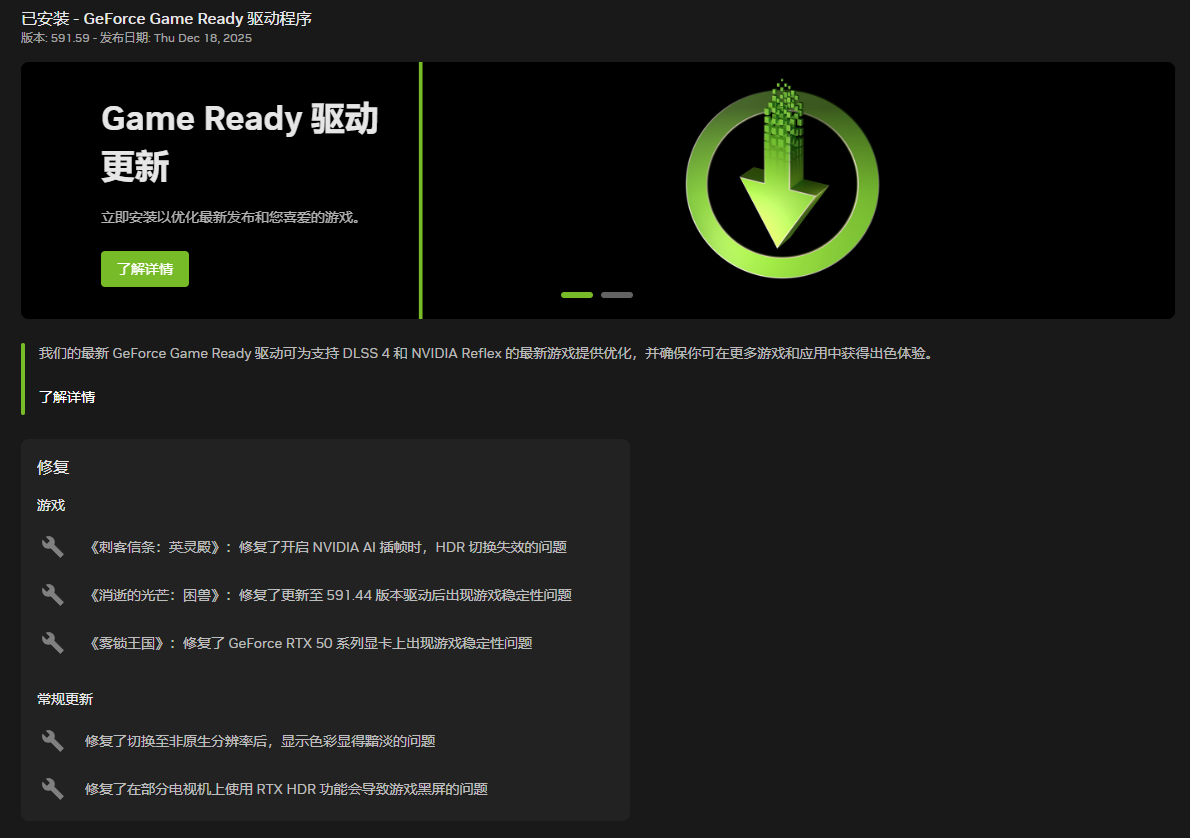 遊戲支援 • 為最新遊戲和更新提供最佳遊戲體驗,並修復之前版本中所發現的關鍵問題。  驅動元件: R591.44 (r591_47-5) / 32.0.15.9159 (12-11-2025) HD Audio 1.4.5.7 Vulkan API 1.4.325 OpenGL 4.6 OpenCL 3.0 CUDA 13.1.112 APP 11.0.5.420 PhysX 9.23.1019 USBC 1.52.831.832 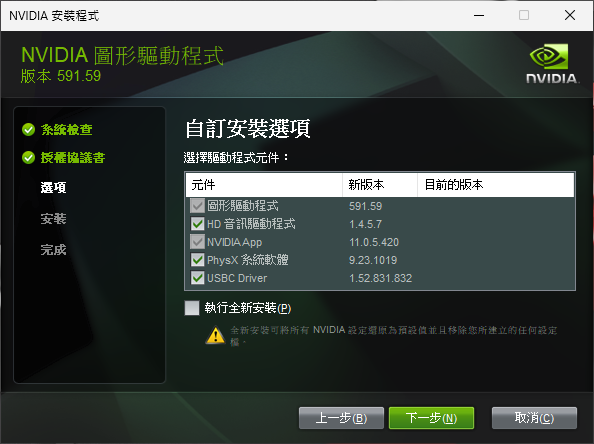 驅動核心編號對照表: R591.59 WHQL (r591_47-5) R591.44 WHQL (r591_37-3) R581.94 Hotfix (r581_66-10) 此版已修復的遊戲問題: • RTX 50系列GPU:遊戲穩定性問題。[5664067] • Assassin's Creed Valhalla(刺客教條:英靈殿):啟用平滑運動時HDR開關無法正常運作。[5469746] • Dying Light: The Beast(消逝的光芒:野獸):更新到591.44驅動程式後會出現遊戲穩定性問題。[5720536] 此版已修復的一般問題: • 切換到非原生解析度後,顯示顏色似乎會變淡。[5548662] • 在某些電視上使用RTX HDR會導致遊戲黑屏。[5720286] 未解決的已知問題: • 無法從NVIDIA控制面板中取消「顯示通知托盤圖示」。[5622213] 此版驅動程式的更新文件: (英文) 資訊來源網頁 此版驅動程式的官方討論串: (英文) 資訊來源網頁 驅動程式問題的回報窗口: (建議使用英文填寫,或是利用谷歌翻譯先將您的回答轉換成英文) 資訊來源網頁 下載網頁: Win10&Win11-64bit (DCH版) Win10&Win11-64bit (Notebook;DCH版) 下載檔案: Win10&Win11-64bit (DCH版) Win10&Win11-64bit (Notebook;DCH版) 產品支援清單: GeForce RTX 50 系列 GeForce RTX 5090 D v2, GeForce RTX 5090 D, GeForce RTX 5090, GeForce RTX 5080, GeForce RTX 5070 Ti, GeForce RTX 5070, GeForce RTX 5060 Ti, GeForce RTX 5060, GeForce RTX 5050 GeForce RTX 40 系列 GeForce RTX 4090 D, GeForce RTX 4090, GeForce RTX 4080 SUPER, GeForce RTX 4080, GeForce RTX 4070 Ti SUPER, GeForce RTX 4070 Ti, GeForce RTX 4070 SUPER, GeForce RTX 4070, GeForce RTX 4060 Ti, GeForce RTX 4060 GeForce RTX 30 系列 GeForce RTX 3090 Ti, GeForce RTX 3090, GeForce RTX 3080 Ti, GeForce RTX 3080, GeForce RTX 3070 Ti, GeForce RTX 3070, GeForce RTX 3060 Ti, GeForce RTX 3060, GeForce RTX 3050 GeForce RTX 20 系列 GeForce RTX 2080 Ti, GeForce RTX 2080 SUPER, GeForce RTX 2080, GeForce RTX 2070 SUPER, GeForce RTX 2070, GeForce RTX 2060 SUPER, GeForce RTX 2060 NVIDIA TITAN 系列 NVIDIA TITAN RTX GeForce 16 系列 GeForce GTX 1660 SUPER, GeForce GTX 1650 SUPER, GeForce GTX 1660 Ti, GeForce GTX 1660, GeForce GTX 1650, GeForce GTX 1630 GeForce RTX 50 系列 (Notebooks) GeForce RTX 5090 Laptop GPU, GeForce RTX 5080 Laptop GPU, GeForce RTX 5070 Ti Laptop GPU, GeForce RTX 5070 Laptop GPU, GeForce RTX 5060 Laptop GPU, GeForce RTX 5050 Laptop GPU GeForce RTX 40 系列 (Notebooks) GeForce RTX 4090 Laptop GPU, GeForce RTX 4080 Laptop GPU, GeForce RTX 4070 Laptop GPU, GeForce RTX 4060 Laptop GPU, GeForce RTX 4050 Laptop GPU GeForce RTX 30 系列 (Notebooks) GeForce RTX 3080 Ti Laptop GPU, GeForce RTX 3080 Laptop GPU, GeForce RTX 3070 Ti Laptop GPU, GeForce RTX 3070 Laptop GPU, GeForce RTX 3060 Laptop GPU, GeForce RTX 3050 Ti Laptop GPU, GeForce RTX 3050 Laptop GPU GeForce RTX 20 系列 (Notebooks) GeForce RTX 2080 SUPER, GeForce RTX 2080, GeForce RTX 2070 SUPER, GeForce RTX 2070, GeForce RTX 2060, GeForce RTX 2050 GeForce MX500 系列 (Notebooks) GeForce MX570, GeForce MX550 GeForce MX400 系列 (Notebooks) GeForce MX450 GeForce GTX 16 系列 (Notebooks) GeForce GTX 1660 Ti, GeForce GTX 1650 Ti, GeForce GTX 1650 |
新的591.59只是修補之前的問題,並沒有任何的優化項目,所以跟591.44的跑分差不多是很正常的事;VK582.15比VK581.96又多優化了四項,所以跑分提高也是是預料之中的事。 :flash:
某位的ASUS螢幕最近幾版591會黑屏,而VK582.15則是正常,我是建議他暫時不要再換了。 :think: |
591.59 FPS AVG變差
591.44 FPS 平穩 VK582.15 VK581.96 兩者當約 前者色彩鮮艷一點!! CS + ON LINE + 舊遊戲 以滾回581.29 3Q W11+9800X3D+5080 |
魔物獵人及PUBG用VK581.96或VK581.58很穩定(B站大佬用5090D實測),但VK581.96及VK582.15的幀數會更高一些。 :ase
|
目前用591.59玩正體中文版ff14,一切正常
顯卡是4080+5800x3d |
| 所有的時間均為GMT +8。 現在的時間是03:37 AM. |
vBulletin Version 3.0.1
powered_by_vbulletin 2026。